


Practitioners supporting dyslexic learners often see the same pattern: bright, capable people slowed down by print-heavy tasks and worn down by years of “try harder” advice. Emails pile up, handouts get postponed, and note-taking consumes energy that would be better spent on thinking. Print-related struggle can persist even when someone is clearly capable, which is exactly why effort alone so often isn’t the answer.
A more useful frame is simple: assistive technology is access support, not a promise to change dyslexia itself. Used well, it can become the center of a credible niche because it helps learners move through daily reading, writing, planning, and participation with more dignity and less friction.
And importantly, adoption is rarely solved by handing over a single app. What tends to work best is a small, repeatable system matched to real tasks and real patterns of fatigue.
Key Takeaway: Assistive technology works best as access support: a small, reliable tool stack paired with daily routines can reduce friction and fatigue in reading, writing, and planning. Framing tools this way supports dignity and independence while keeping expectations clear about what technology can’t replace.
Assistive technology is access support, not a shortcut
Assistive technology works best when its role is clear: it supports access. It doesn’t replace literacy-building work, and it doesn’t need to. Its value is that it helps someone participate now, while other forms of learning and skill development continue alongside it.
Guidance for schools makes this boundary plain: accommodations such as audiobooks and text-to-speech do not replace instruction. In coaching settings, that clarity keeps expectations grounded and makes communication with families, educators, and employers much easier.
Assistive technology is also broader than many people expect. Modern support tools include text-to-speech, speech-to-text, audiobooks, and visual supports—offering multiple modes for engaging with text and ideas.
This is why experienced practitioners often build a small “stack” rather than relying on one tool. Someone might listen to long passages with text-to-speech, scan paper documents with OCR, dictate first drafts, and use mind-mapping for planning. Different tools ease different bottlenecks.
- Text-to-speech: supports reading access and reduces strain during long or dense material.
- Speech-to-text: helps get ideas onto the page without spelling slowing everything down.
- OCR: turns print into workable digital text.
- Visual planning tools: help learners organize relationships before forcing ideas into linear form.
- Formatting supports: make reading more comfortable and sustainable.
How tool stacks reduce daily friction
The strongest case for an assistive-technology niche shows up in everyday life: reading messages, taking notes, planning projects, writing drafts, and following instructions without burning through all available energy.
For reading and writing, learning-difficulty technology such as audiobooks, speech-to-text, and text-to-speech can make life easier and support better functional performance. Put simply, fewer tasks stall out, and fewer get quietly avoided.
Many dyslexic users also report fewer roadblocks when they work digitally. Compared with handwriting, keyboard-based tools can make writing easier, shifting effort toward meaning rather than mechanics.
Here’s why that matters: the goal isn’t just doing more—it’s thinking better. When note-taking and writing become less effortful, more attention can go toward ideas, pattern recognition, and understanding.
Adults using assistive technology have described saved time, greater stamina, and lower stress. Those outcomes are especially useful in coaching because they’re tangible and easy to notice week by week.
And the tools learned in education often carry forward. Speech-to-text and text-to-speech can support tasks across education, work, and everyday reading-writing demands.
Tools that often help most
Not every learner needs every feature. Still, a few categories consistently stand out because they address common friction points directly.
- Text-to-speech: useful for articles, PDFs, long emails, and study materials. Listening while tracking text can help learners stay with content longer.
- OCR scanning: often turns printed handouts, letters, and forms into a quick, workable workflow instead of an avoidance loop.
- Speech-to-text: can loosen writing bottlenecks by bypassing spelling difficulties and helping ideas arrive on the page more naturally. Speech-recognition tools have been linked to longer texts and better spelling in written output.
- Word prediction and spellcheck: can make drafting faster and gentler. Word prediction has been associated with improved text quality.
- Visual organization: many dyslexic thinkers prefer to understand relationships first and convert them into linear text later. Mind-mapping often fits that pattern well.
- Formatting adjustments: small changes to font size, spacing, or background color can sometimes improve comfort. In some individuals, visual adaptations may reduce visual stress.
None of this needs to feel complicated. A good stack is usually small. The best one isn’t the most impressive—it’s the one the learner actually uses.
Blending technology with multisensory and traditional ways of learning
Assistive technology doesn’t have to compete with oral, story-based, or hands-on learning. In many cases, it simply extends it.
Across cultures, knowledge has often been passed through voice, memory, demonstration, rhythm, and apprenticeship rather than print alone. Oral tradition remains one of the oldest and most human ways of carrying knowledge forward.
That perspective matters in dyslexia support. Listening to text, speaking ideas aloud, learning through movement, and organizing information visually aren’t strange workarounds. Think of them like well-worn paths—technology just helps learners walk those paths in modern environments saturated with written demands.
For this reason, many practitioners pair digital tools with embodied routines and multisensory instruction:
- Read by ear and eye: listen to text while following visually.
- Draft by voice: speak ideas while walking or pacing, then edit later.
- Plan visually: map relationships before turning them into paragraphs or lists.
- Use rhythm and repetition: combine spoken review, movement, or verbal rehearsal with digital notes.
- Work with real material: letters, forms, family documents, workplace tasks, and study notes are better practice than artificial exercises.
Encouragement also belongs here. As educator Emily Gibbons reminds us, “Offering inspiring quotes from famous dyslexics can encourage our students when learning to read feels like an uphill battle.” Used well, affirmation helps normalize difference without tipping into sentimentality.
Why routines matter more than one-off demos
The benefits of assistive technology usually appear when tools are woven into ordinary tasks—not simply installed, admired, and forgotten.
A review of assistive technology for reading difficulties notes that consistent integration into daily activity is needed for meaningful benefit. That matches what many practitioners see: a tool used once can impress; a tool used daily changes someone’s workflow.
So the focus is less on features, and more on repeatable routines that fit real life.
- Reading routine: open the document, switch on text-to-speech, adjust formatting, and capture key points in audio or visual notes.
- Writing routine: dictate a rough draft first, then revise with spelling support and word prediction.
- Planning routine: begin with a visual map, then convert it into a checklist and calendar steps.
- Paper-to-digital routine: scan print immediately so it becomes searchable, audible, and easier to annotate.
When routines are tied to authentic tasks, the work often feels calmer and more doable. Learners commonly report more reading volume, easier note capture, and a steadier rhythm when support tools sit alongside literacy-building work. Research also suggests assistive technology can enhance participation when combined with appropriate instruction.
Professional depth matters
Tools alone don’t create a strong practice. Professional depth does.
To support dyslexic learners well, a practitioner needs more than app familiarity. They need a grounded understanding of dyslexia, respect for learning differences, clear ethical boundaries, and the confidence to choose tools that match real contexts—not trends.
There’s also a wider shift toward more specialized dyslexia expertise. In the United States, many states now have dyslexia laws that include educator preparation or training expectations around dyslexia laws and evidence-based reading practices. Even outside education roles, it reflects a broader truth: dyslexia support improves when people are properly trained.
In practice, strong training helps you:
- understand where access support fits, and where it does not;
- choose tools based on real friction points rather than hype;
- teach clients how to use tools consistently;
- adapt support across school, home, and work contexts;
- communicate your scope with clarity and integrity.
It also makes your niche easier to explain. Rather than being someone who “recommends apps,” you become someone who builds sustainable systems for reading, writing, organization, and self-advocacy.
How to position this niche with integrity
If assistive technology is part of your dyslexia work, clear positioning is usually the most effective—and the most respectful.
- Name the purpose: access, independence, and smoother daily function.
- Set expectations: tools support participation; they do not stand in for literacy instruction or everyday accommodations.
- Use stacks thoughtfully: one tool for input, one for output, one for planning is often enough.
- Work with real-life tasks: emails, notes, forms, reading assignments, and workplace writing.
- Track meaningful outcomes: energy saved, reading volume, drafting speed, ease of note capture, and stress reduction.
These outcomes matter because they’re real. In adult life, the wins people feel most are often the simplest: quicker emails, clearer meeting notes, and steadier energy through the day. Adults using assistive technology have reported improved efficiency in work and study tasks, which mirrors what many coaches observe in practice.
Families often notice ripple effects too. With the right support, confidence and engagement can strengthen over time, and family support has been linked to better self-esteem in adults with dyslexia.
Conclusion
Assistive technology can absolutely define a dyslexia niche—when it’s framed as access support and taught with care.
The strongest version of this work isn’t about impressive tools or big promises. It’s about helping people work in ways that are humane, repeatable, and aligned with how they learn best. A small, well-chosen stack can reduce friction in reading, writing, and organization; multisensory and traditional learning pathways can sit beside it naturally; and steady routines are what turn isolated tools into dependable support.
A few cautions belong at the end: tools still need practice to become effortless, not every platform suits every learner, and clear boundaries matter—especially around what technology can and cannot replace. But when expectations are honest and routines are realistic, learners get a better chance to show what is already there.
Ready to build this niche with more confidence?
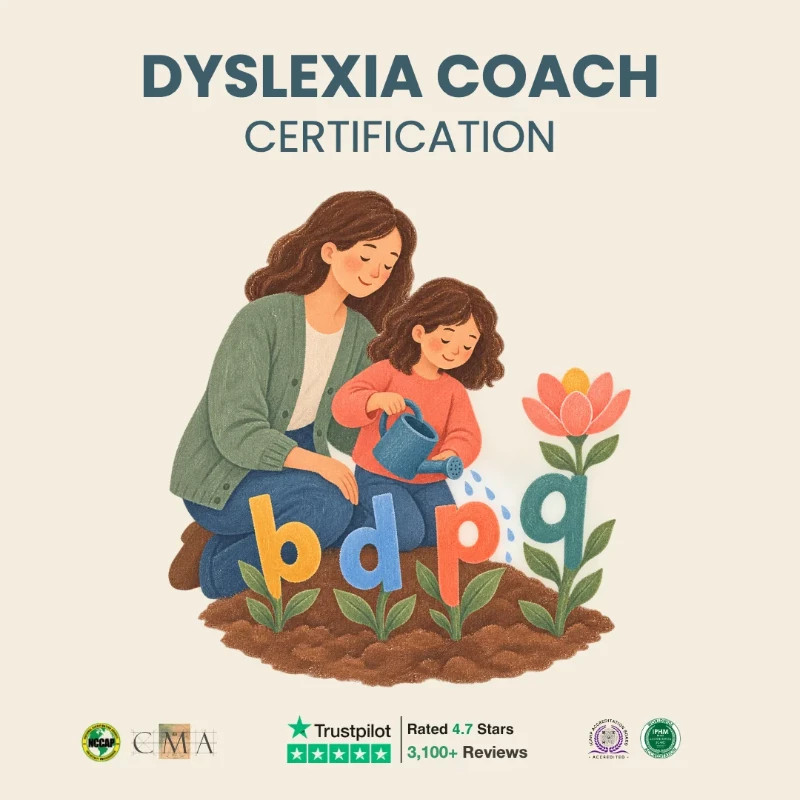
Explore the Dyslexia Coach Certification to deepen your understanding of dyslexia support, practical tool use, and sustainable coaching outcomes.
Explore Dyslexia Coach Certification
Deepen your assistive-technology coaching approach with the Dyslexia Coach Certification.
Explore Dyslexia Coach Certification →